

mklgltkn
Administrator
Redmi Note 14 (TANZANITE) IMEI REPAIR, SUCCESSFUL WITH TR TOOLS PRO — WORLD FIRST
İŞLEM SIRALAMASI
 İLK METHOD (BL KAPALI CİHAZLAR İÇİN)
1- Yetkili hesap ile ENG ROM atın.
9. ay ve üzeri ise yazılım güvenliği auth kabul etmez; UBL şarttır ve 2. sıradaki gibi yapın.
2- ADB Mode + Patch Bl Lock seçili şekilde IMEI repair yapın.
3- Fastboot’tan OS 2, 9. ay öncesine ait bir Global ROM atın.
(OPCUST ve OPCONFIG tikleri var ise kaldırın.)
İKİNCİ METHOD (BL AÇIK CİHAZLAR İÇİN)
1- Cihazınızı rootlayın.
2- ADB Mode + Patch Bl Lock seçili şekilde IMEI repair yapın.
3- Root kaldırmak için, rootta kullandığınız (cihazın içindeki yazılıma ait) init_boot dosyasını geri atın
veya OPCUST–OPCONFIG tiklerini kaldırarak ROM atabilirsiniz.
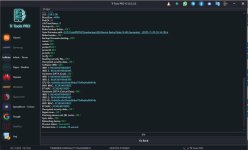
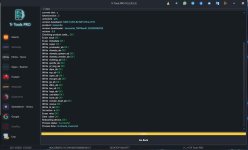
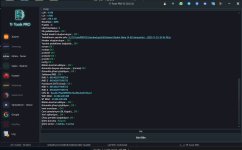
Aşağıda 3 farklı cihaza ait başarı raporları bulunmaktadır. %100 denenmiştir.
NOT:
Yapılan işlemlerden tamamen siz sorumlusunuz. Herhangi bir mesuliyet kabul etmiyoruz.
Not: Ülkemizde ve bazı ülkelerde IMEI repair işlemi yasal değildir. Bu yöntem ile yalnızca orijinal olup IMEI’si bozulan cihazların, faturasında yer alan IMEI bilgisiyle tamir edilmesi amaçlanmaktadır. Tüm sorumluluk kullanıcıya aittir.
Redmi Note 14 (TANZANITE) IMEI REPAIR SUCCESSFUL WITH TR TOOLS PRO — WORLD FIRST
OPERATION STEPS
FIRST METHOD (FOR DEVICES WITH BOOTLOADER LOCKED)
1- Flash the ENG ROM using an authorized account.
If the device is 9 months or newer, the software security will not accept auth; UBL is required.
In this case, proceed as described in the second method.
2- Perform IMEI repair with **ADB Mode + Patch Bl Lock** selected.
3- Flash a **Global ROM** via **Fastboot**, with **OS 2** dated **before the 9th month**.
(If OPCUST and OPCONFIG options are checked, uncheck them.)
SECOND METHOD (FOR DEVICES WITH BOOTLOADER UNLOCKED)
1- Root your device.
2- Perform IMEI repair with **ADB Mode + Patch Bl Lock** selected.
3- To remove root, flash back the **init_boot** file used for rooting (from the device’s original firmware),
or you can flash a ROM after unchecking **OPCUST–OPCONFIG** options.
Below are success reports from 3 different devices. Tested 100%.
NOTE:
You are fully responsible for all actions performed. We do not accept any liability.
Note: IMEI repair is illegal in our country and in some other countries. With this method, you may only repair the IMEI of original devices whose IMEI has been corrupted, using the IMEI stated on the invoice. All responsibility belongs to the user.
İŞLEM SIRALAMASI
İLK METHOD (BL KAPALI CİHAZLAR İÇİN) 1- Yetkili hesap ile ENG ROM atın.
9. ay ve üzeri ise yazılım güvenliği auth kabul etmez; UBL şarttır ve 2. sıradaki gibi yapın.
2- ADB Mode + Patch Bl Lock seçili şekilde IMEI repair yapın.
3- Fastboot’tan OS 2, 9. ay öncesine ait bir Global ROM atın.
(OPCUST ve OPCONFIG tikleri var ise kaldırın.)
İKİNCİ METHOD (BL AÇIK CİHAZLAR İÇİN) 1- Cihazınızı rootlayın.
2- ADB Mode + Patch Bl Lock seçili şekilde IMEI repair yapın.
3- Root kaldırmak için, rootta kullandığınız (cihazın içindeki yazılıma ait) init_boot dosyasını geri atın
veya OPCUST–OPCONFIG tiklerini kaldırarak ROM atabilirsiniz.
Aşağıda 3 farklı cihaza ait başarı raporları bulunmaktadır. %100 denenmiştir.
NOT:
Yapılan işlemlerden tamamen siz sorumlusunuz. Herhangi bir mesuliyet kabul etmiyoruz.
Not: Ülkemizde ve bazı ülkelerde IMEI repair işlemi yasal değildir. Bu yöntem ile yalnızca orijinal olup IMEI’si bozulan cihazların, faturasında yer alan IMEI bilgisiyle tamir edilmesi amaçlanmaktadır. Tüm sorumluluk kullanıcıya aittir.
Redmi Note 14 (TANZANITE) IMEI REPAIR SUCCESSFUL WITH TR TOOLS PRO — WORLD FIRST
OPERATION STEPS
FIRST METHOD (FOR DEVICES WITH BOOTLOADER LOCKED) 1- Flash the ENG ROM using an authorized account.
If the device is 9 months or newer, the software security will not accept auth; UBL is required.
In this case, proceed as described in the second method.
2- Perform IMEI repair with **ADB Mode + Patch Bl Lock** selected.
3- Flash a **Global ROM** via **Fastboot**, with **OS 2** dated **before the 9th month**.
(If OPCUST and OPCONFIG options are checked, uncheck them.)
SECOND METHOD (FOR DEVICES WITH BOOTLOADER UNLOCKED) 1- Root your device.
2- Perform IMEI repair with **ADB Mode + Patch Bl Lock** selected.
3- To remove root, flash back the **init_boot** file used for rooting (from the device’s original firmware),
or you can flash a ROM after unchecking **OPCUST–OPCONFIG** options.
Below are success reports from 3 different devices. Tested 100%.
NOTE:
You are fully responsible for all actions performed. We do not accept any liability.
Note: IMEI repair is illegal in our country and in some other countries. With this method, you may only repair the IMEI of original devices whose IMEI has been corrupted, using the IMEI stated on the invoice. All responsibility belongs to the user.
Ekli dosyalar
Son düzenleme: