

mklgltkn
Administrator
 NOTE 14 Pro (Obsidian) – Yeni ADB Yöntemiyle XX İşlemi Tamamlandı
Yeni ADB method ile cihaz üzerinde gerekli XX işlemi başarıyla uygulanmıştır.
Kamera, SMS, flaş gibi tüm fonksiyonlar sorunsuz şekilde çalışmaktadır.

 İşlem Sıralaması:
- Eng işlemini uygulayın.
- Cihaz OS1 sıfır durumundaysa Slot B ile deneyin.
- Sıfır değilse veya güncelleme aldıysa Auth gereklidir.
- Imei repair işlemi sekmesine girerek yalnızca ADB MODE+ PATCH BL LOCK seçerek işlemi başlatın.
- İşlem tamamlandıktan sonra HyperOS Global ROM’u extra-fastboot flasher bölümünden seçin.
- Opcust – Opconfig – Proleader kutucuklarını kaldırın.
- Not: Proleader her modelde kaldırılmaz; Örneğin ;14C modelinde kaldırılırsa siyah ekran sorunu oluşabilir.
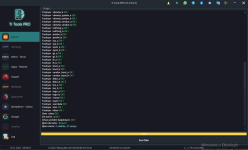
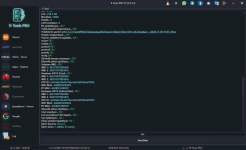
NOTE 14 Pro (Obsidian) – XX Process Completed with New ADB Method
With the new ADB method, the required XX process was successfully completed on the device.
All functions such as camera, SMS, and flash are working without any issues.
Process Steps
- Perform the ENG process first.
- If the device is clean OS1 out of the box, try using Slot B.
- If not clean or has received updates, Auth is required.
- Enter the IMEI Repair section and start the process in ADB MODE+ PATCH BL LOCK by selecting ADB MODE+ PATCH BL LOCK only.
- After the process is completed, select the HyperOS Global ROM from the extra-fastboot flashersection.
- Uncheck Opcust – Opconfig – Proleader.
- Note: Proleader is not disabled in every model; for example, in the 14C model, disabling it may cause a black screen issue.
Son düzenleme: